Specifications win tenders.
Prove your product compliance.
Specka checks your product against each tender requirement
and finds the supporting evidence in your documentation.
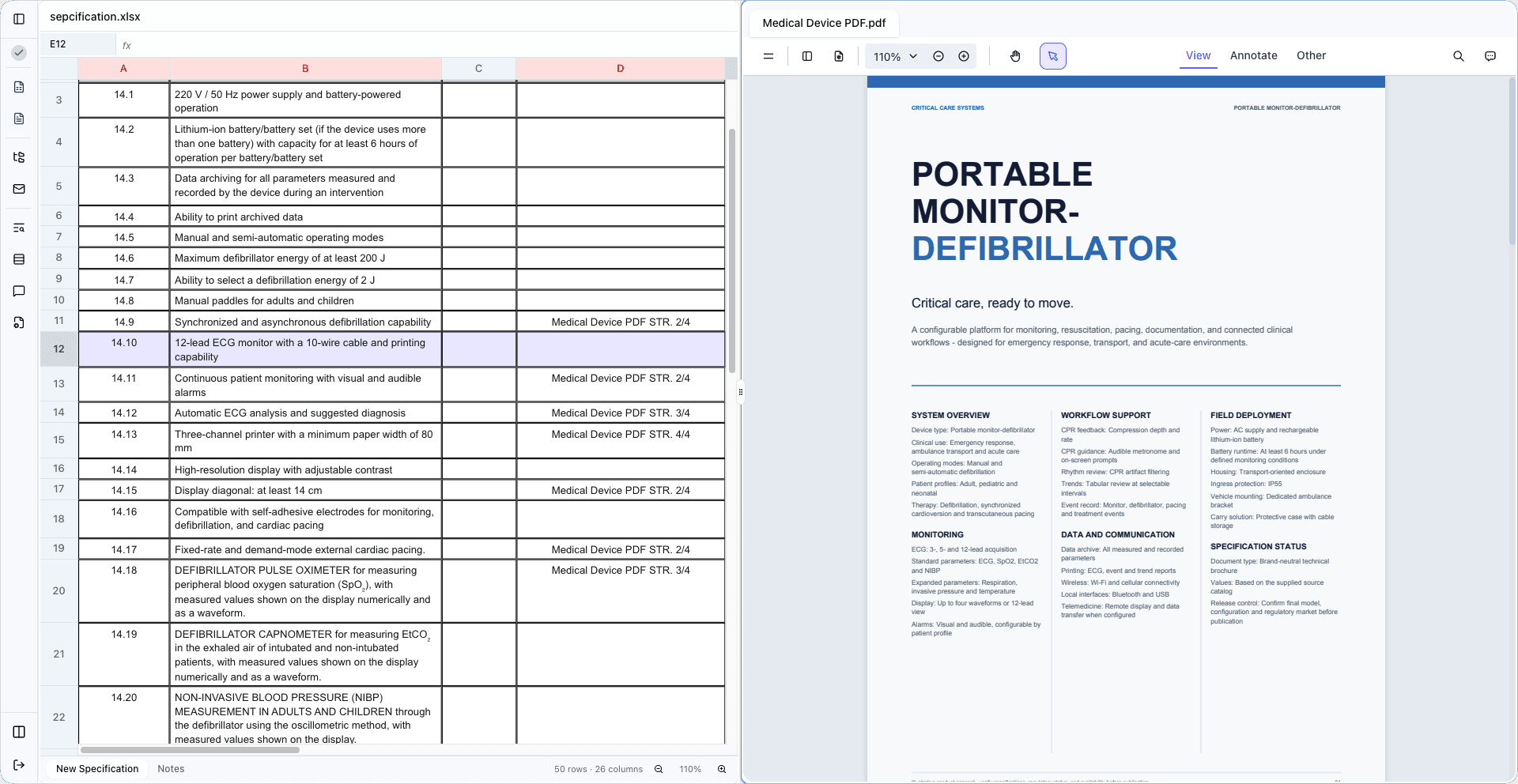
Your tender spreadsheet and product documentation. Scroll to bring it together
XLSX and PDF. Side by side in Specka.
Check each requirement
against your product.
Specka uses AI to compare each spreadsheet requirement with your product documentation. Review the result and focus on the points that need your judgement.
- See what the documentation supports
- Identify gaps that need a closer look
- Make the final compliance decision
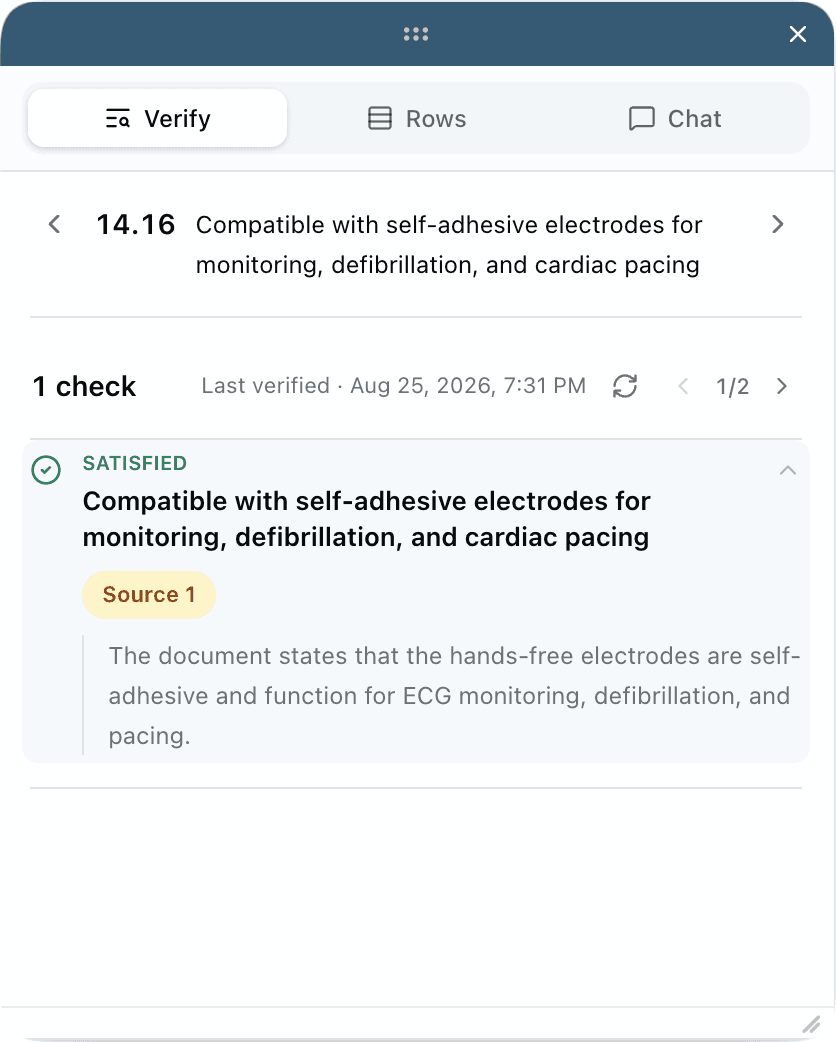
Trace each result
to its source.
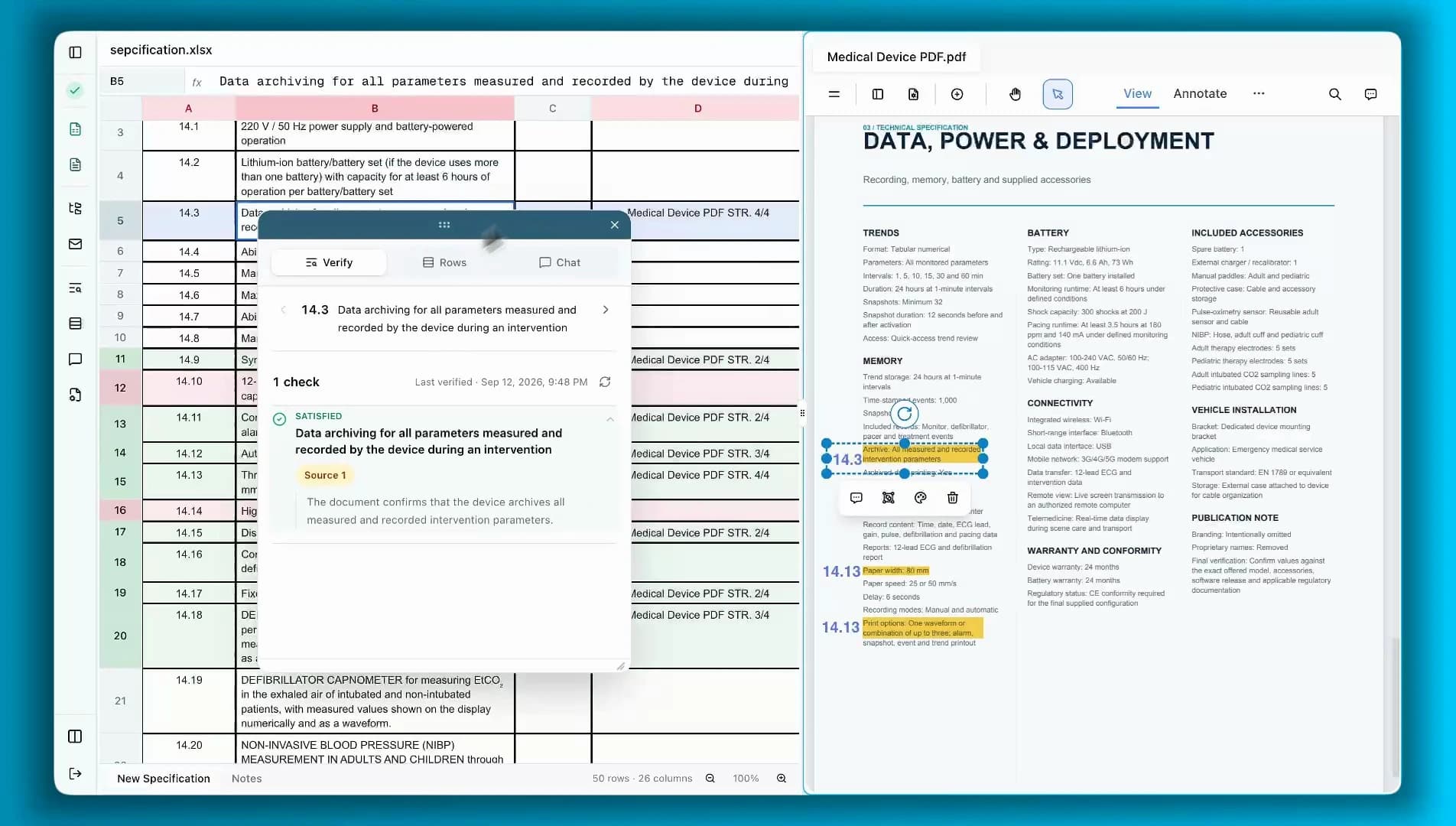
Open a citation to read the relevant passage in the PDF. Highlight it, add the requirement number, and keep the page reference linked to its spreadsheet row.
Read the walkthrough
- Select requirement 14.3 in the tender spreadsheet: data archiving for all parameters measured and recorded during an intervention.
- Open Verify and let Specka check the requirement against the product PDF.
- Review the satisfied result and the explanation of the supporting evidence.
- Open Source 1 to inspect the relevant passage on page 4 of the PDF.
- Highlight the passage and add the requirement number. Specka adds the PDF page reference back to the spreadsheet row.
Manage the work
around your bid.
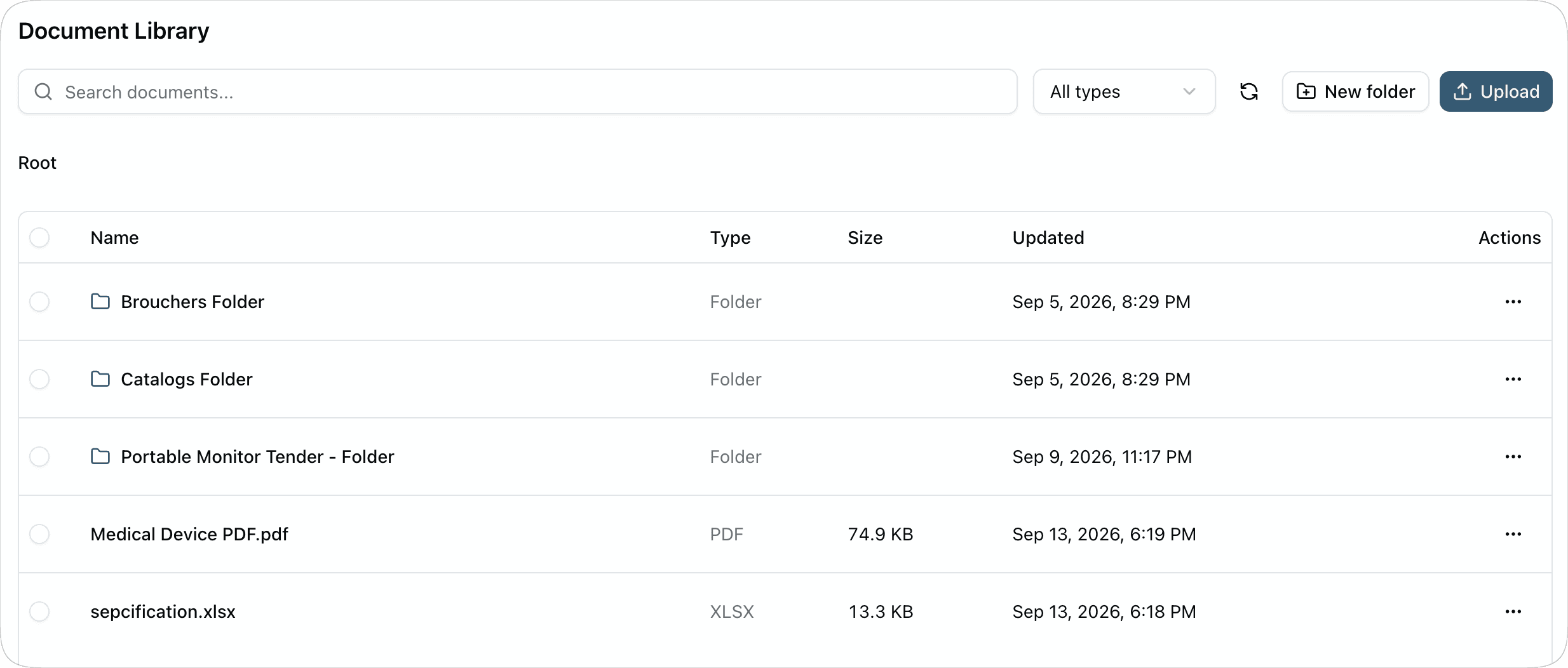
Keep your product documents within reach.
Organise brochures, catalogues, PDFs, and spreadsheets in folders. Search your library and filter by file type when you need supporting material for a tender.
Know who is working on each tender.
Organise tenders into projects and subprojects, assign responsibility, and follow their status and deadlines from one overview.
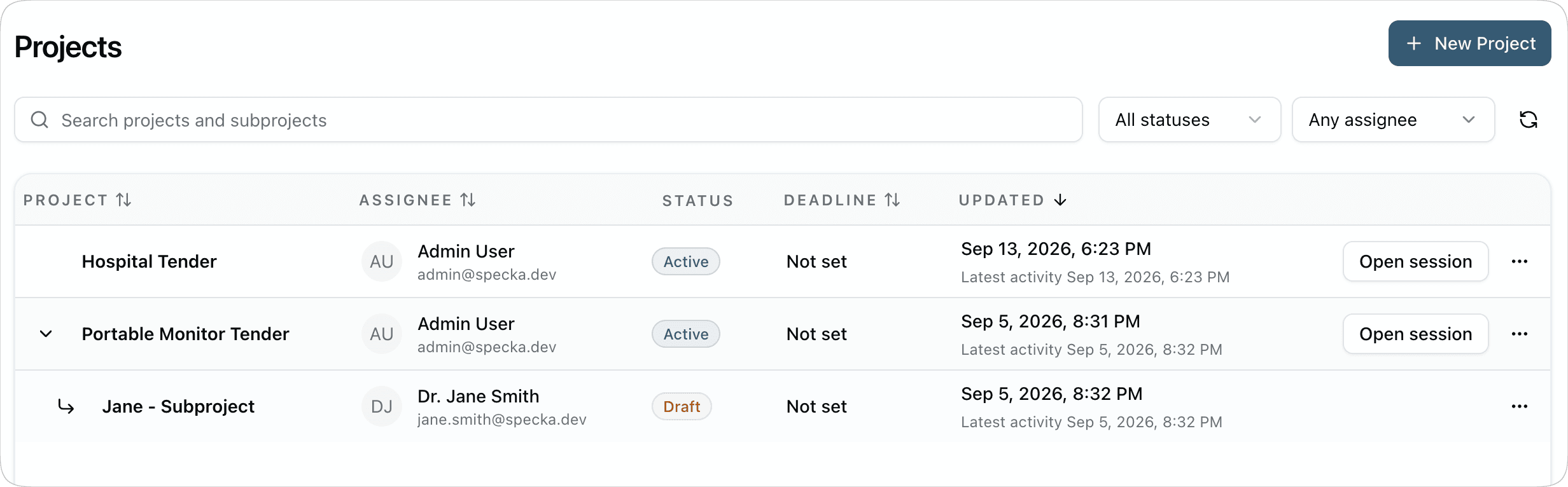
Share the files your team needs.
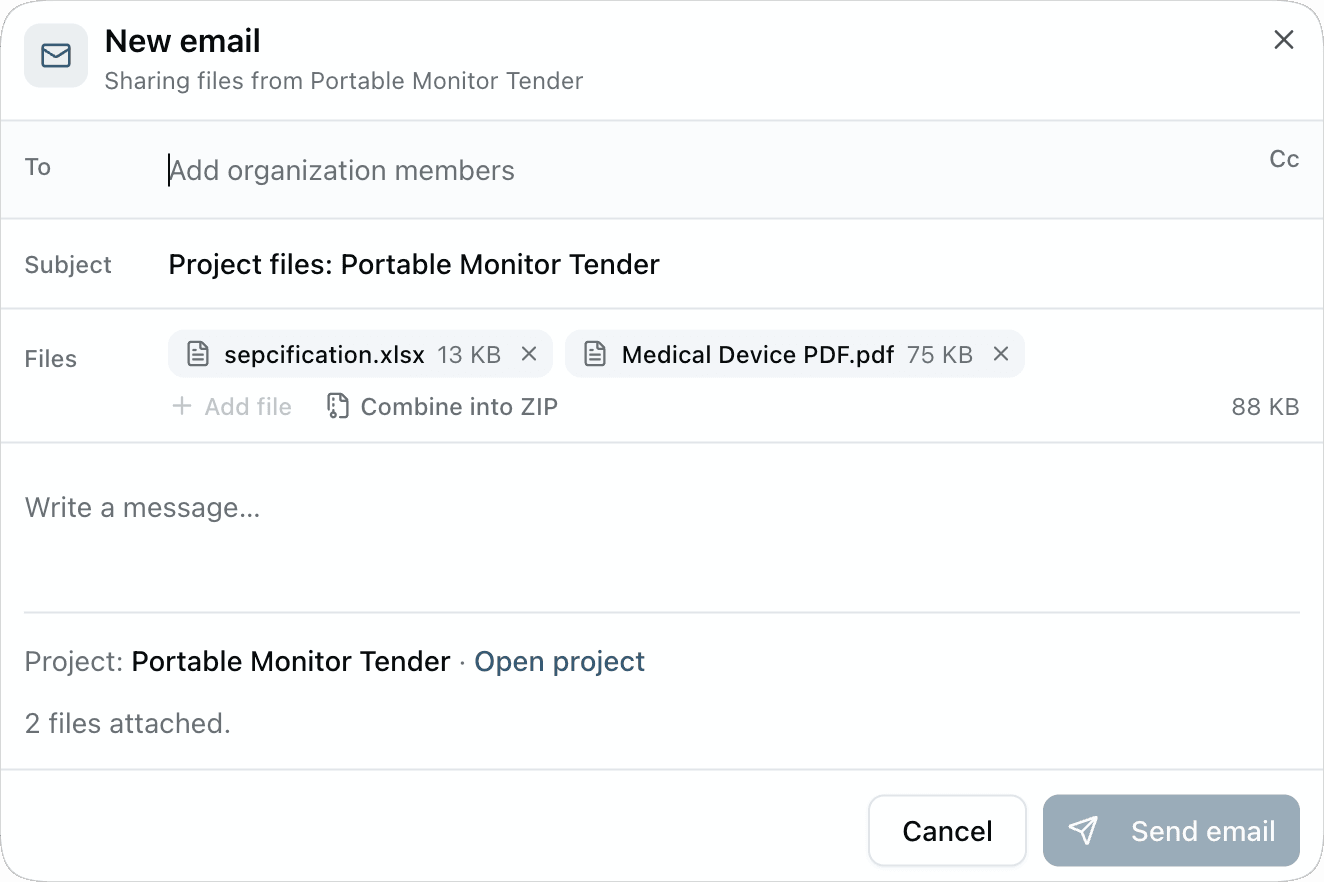
Send project documents to people in your organisation directly from Specka. Attach the relevant files, add a message, and combine them into a ZIP when needed.
Document library: Keep your product documents within reach.
Questions
about Specka.
Explore the workflow Where does Specka fit in the tender process?
Once you have chosen a tender, Specka helps you assess your product against its technical specification. It brings the requirements and your product documentation together so you can check compliance and gather supporting evidence.
What documents can I work with?
Work with your tender specification in an XLSX spreadsheet and supporting product documentation in PDF format. Open them side by side, review the requirements, and annotate the relevant passages in your product documents.
Can I see the evidence behind a result?
Yes. Verification results include source citations where supporting evidence is found. Open a citation to inspect the passage in the original PDF. Results also distinguish satisfied requirements from uncertain or missing evidence, so you can focus your review.
Who is Specka built for?
Suppliers that regularly respond to public tenders with detailed technical requirements, including medical device, vehicle, industrial equipment, and hardware companies. Specka is currently being developed with early users as we prepare for a closed beta.
Start with
one requirement.
Upload your tender spreadsheet and product PDFs to begin your review in Specka.